# Are We Wasm Yet ? - Part 2
# Recap
In [part 1](https://elewis.dev/are-we-wasm-yet-part-1) of this series, we walked through the basics of WebAssembly (Wasm), created a simple hashing example running in a small web application and drilled into some binary optimizations that can be made to get past one of Golang's Wasm limitations; size.
**We will be reusing some of the tricks and a few of the components from [part 1](https://elewis.dev/are-we-wasm-yet-part-1) so, if you haven't, go check it out!
**
In this post, we will create a simple http api and implement a basic client that can be used to interact with our api server. The goal of this exercise is to continue to crack open Golang's *nuances/limitations* with Wasm and help illustrate what we need for a more wholesome experience.
With that being said, let's jump right in!
# A Simple Http Client/Server
We will be crafting a basic http server that will expose two routes: `IncrementCount` and `GetCount`. We will use these routes to track how many times a button is clicked on in a simple website.
## Server Implementation
We will start by creating our server object that will be responsible for keeping track of our count.
```go
package server
import (
"log"
"net/http"
"strconv"
)
type Server struct {
counter int
}
func (s *Server) HandleIncrementCount(w http.ResponseWriter, r *http.Request) {
w.Header().Set("Access-Control-Allow-Methods", "PUT")
w.Header().Set("Access-Control-Allow-Origin", "*")
s.counter++
w.WriteHeader(http.StatusOK)
}
func (s *Server) HandleGetCount(w http.ResponseWriter, r *http.Request) {
w.Header().Set("Access-Control-Allow-Methods", "GET")
w.Header().Set("Access-Control-Allow-Origin", "*")
_, err := w.Write([]byte(strconv.Itoa(s.counter)))
if err != nil {
w.WriteHeader(http.StatusInternalServerError)
}
}
```
Simple enough. Next we will register this object with a simple http server using Golang’s built in `net/http` package.
```go
package main
import (
"log"
"net/http"
"github.com/elewis787/blog-code/blogs/AreWeWasmYet/example02/server"
)
func main() {
server := &server.Server{}
mux := http.NewServeMux()
mux.HandleFunc("/add", server.HandleIncrementCount)
mux.HandleFunc("/count", server.HandleGetCount)
log.Fatal(http.ListenAndServe(":8080", mux))
}
```
The above code starts our http server on port `8080` and exposes two routes `http://localhost:8080/add` and `http://localhost:8080/count`. Our `add` route simply increments the count by 1 and our `count` route returns the current count.
We can run our server with the following command:
`go run main.go`
## Client Implementation
Now that the server is stitched together, we can move on to writing a simple client. Our client package will be used to wrap the http request required to communicate with our backend server.
```go
package client
import (
"errors"
"io"
"net/http"
"strconv"
)
type CounterClient struct {
httpClient *http.Client
}
func New() *CounterClient {
return &CounterClient{
httpClient: http.DefaultClient,
}
}
func (c *CounterClient) IncrementCounter() error {
req, err := http.NewRequest("put", "http://localhost:8080/add", nil)
if err != nil {
return err
}
resp, err := c.httpClient.Do(req)
if err != nil {
return err
}
if resp.StatusCode != http.StatusOK {
return errors.New(resp.Status)
}
return nil
}
func (c *CounterClient) GetCount() (int, error) {
req, err := http.NewRequest("get", "http://localhost:8080/count", nil)
if err != nil {
return 0, err
}
resp, err := c.httpClient.Do(req)
if err != nil {
return 0, err
}
defer resp.Body.Close()
v, err := io.ReadAll(resp.Body)
if err != nil {
return 0, err
}
count, _ := strconv.Atoi(string(v))
return count, nil
}
```
Awesome! We can now focus on creating our Javascript *wrapper* code. It is important to remember that Golang currently only supports targeting WASM with the `JS` operating system flag. We will cover this in more detail later, but for now, let's take a look at what we need to do in order to get our web application communicating with our server.
Here is our complete *wrapper* code:
```go
package main
import (
"syscall/js"
"github.com/elewis787/blog-code/blogs/AreWeWasmYet/example02/client"
)
type jsWrapperCounterClient struct {
c *client.CounterClient
}
func (j *jsWrapperCounterClient) IncrementCounter() js.Func {
return js.FuncOf(func(this js.Value, args []js.Value) interface{} {
handler := js.FuncOf(func(this js.Value, args []js.Value) interface{} {
resolve := args[0]
reject := args[1]
go func() {
if err := j.c.IncrementCounter(); err != nil {
errorConstructor := js.Global().Get("Error")
errorObject := errorConstructor.New(err.Error())
reject.Invoke(errorObject)
}
resolve.Invoke("")
}()
return nil
})
promise := js.Global().Get("Promise")
return promise.New(handler)
})
}
func (j *jsWrapperCounterClient) Count() js.Func {
return js.FuncOf(func(this js.Value, args []js.Value) interface{} {
handler := js.FuncOf(func(this js.Value, args []js.Value) interface{} {
resolve := args[0]
reject := args[1]
go func() {
v, err := j.c.GetCount()
if err != nil {
errorConstructor := js.Global().Get("Error")
errorObject := errorConstructor.New(err.Error())
reject.Invoke(errorObject)
}
resolve.Invoke(v)
}()
return nil
})
promise := js.Global().Get("Promise")
return promise.New(handler)
})
}
func newCounter(this js.Value, args []js.Value) interface{} {
jsWrapper := &jsWrapperCounterClient{
c: client.New(),
}
return js.ValueOf(map[string]interface{}{
"IncermentCounter": jsWrapper.IncrementCounter(),
"Count": jsWrapper.Count(),
})
}
func main() {
c := make(chan struct{})
js.Global().Set("NewCounter", js.FuncOf(newCounter))
<-c
}
```
Let's breaks this down a little. First, we created a jsWrapperCounterClient that is used to initialize our underlying CounterClient object. Additionally, we exposed two functions that are used to return functions that can be called directly in JavaScript. To initialize this object, we created the `newCounter` function.
## Web Implementation
Lastly, we created our `main` entry point and set our `NewCounter` function to Global, so we can instantiate our wrapped client. Calling `NewCounter` in javascript, will return an object with the functions we defined earlier exposed.
All that's left is to update our `index.html` to include our Wasm binary and hook our client up to a button press.
```html
```
There isn't much to this. We can see that we are leveraging the same Wasm code we used in part 1 and that we have additionally defined a few functions to interact with our Wasm client.
Ok, now let's see our application in action. We will use the server we built in part 1 to host our `index.html` file.
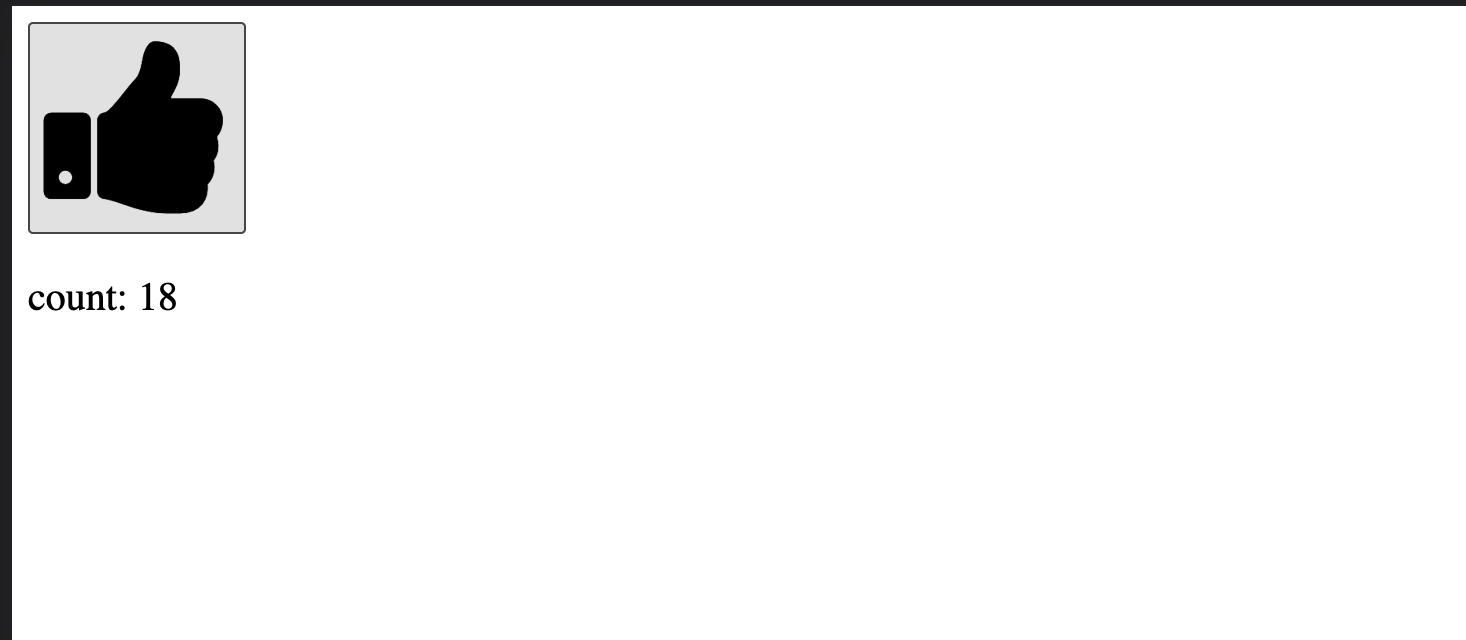
Nice! Clicking our button results in a counter being displayed.
We could spend a lot of time unpacking the nuances of the code above, but to keep this in line with our goal, I will only call out one major topic, `Promises`. A `Promise` is a proxy for a value not necessarily known when the promise is created. It allows you to associate handlers with an asynchronous action's eventual success value or failure reason. This is crucial when dealing with asynchronous functions in Golang.
I want to circle back and highlight `promises`, because they are a great example of an internal `runtime` capability that we are working with. There are countless examples of this in the `system/js` package, but `promises` stood out among the rest when I started digging into the internals, specifically the use of `Invoke`.
Let's take a peek at how the `system/js` package defines this.
```go
// Invoke does a JavaScript call of the value v with the given arguments.
// It panics if v is not a JavaScript function.
// The arguments get mapped to JavaScript values according to the ValueOf function.
func (v Value) Invoke(args ...any) Value {
argVals, argRefs := makeArgs(args)
res, ok := valueInvoke(v.ref, argRefs)
runtime.KeepAlive(v)
runtime.KeepAlive(argVals)
if !ok {
if vType := v.Type(); vType != TypeFunction { // check here to avoid overhead in success case
panic(&ValueError{"Value.Invoke", vType})
}
panic(Error{makeValue(res)})
}
return makeValue(res)
}
func valueInvoke(v ref, args []ref) (ref, bool)
```
The call to `valueInvoke` is what caught my eye. Notice that `valueInvoke` does not define a block of functionality. We will explore what this means later in the post.
For now, we can see how this is getting used within the Wasm binary directly by converting it our to the WebAssembly Text format ( Wat ). The tool `wasm2wat` from the [The WebAssembly Binary Toolkit](https://github.com/WebAssembly/wabt) is usually my go to for this and is another tool worth adding to your arsenal.
The following command can be used to convert our Wasm file to Wat:
` wasm2wat counterClient.wasm -o counterClient.wat`
The output of this command will result in a fairly large text file but let's just take a look at the imports:
```
(import "go" "debug" (func $go.debug (type $t1)))
(import "go" "runtime.resetMemoryDataView" (func $go.runtime.resetMemoryDataView (type $t1)))
(import "go" "runtime.wasmExit" (func $go.runtime.wasmExit (type $t1)))
(import "go" "runtime.wasmWrite" (func $go.runtime.wasmWrite (type $t1)))
(import "go" "runtime.nanotime1" (func $go.runtime.nanotime1 (type $t1)))
(import "go" "runtime.walltime" (func $go.runtime.walltime (type $t1)))
(import "go" "runtime.scheduleTimeoutEvent" (func $go.runtime.scheduleTimeoutEvent (type $t1)))
(import "go" "runtime.clearTimeoutEvent" (func $go.runtime.clearTimeoutEvent (type $t1)))
(import "go" "runtime.getRandomData" (func $go.runtime.getRandomData (type $t1)))
(import "go" "syscall/js.finalizeRef" (func $go.syscall/js.finalizeRef (type $t1)))
(import "go" "syscall/js.stringVal" (func $go.syscall/js.stringVal (type $t1)))
(import "go" "syscall/js.valueGet" (func $go.syscall/js.valueGet (type $t1)))
(import "go" "syscall/js.valueSet" (func $go.syscall/js.valueSet (type $t1)))
(import "go" "syscall/js.valueIndex" (func $go.syscall/js.valueIndex (type $t1)))
(import "go" "syscall/js.valueSetIndex" (func $go.syscall/js.valueSetIndex (type $t1)))
(import "go" "syscall/js.valueCall" (func $go.syscall/js.valueCall (type $t1)))
(import "go" "syscall/js.valueInvoke" (func $go.syscall/js.valueInvoke (type $t1)))
(import "go" "syscall/js.valueNew" (func $go.syscall/js.valueNew (type $t1)))
(import "go" "syscall/js.valueLength" (func $go.syscall/js.valueLength (type $t1)))
(import "go" "syscall/js.valuePrepareString" (func $go.syscall/js.valuePrepareString (type $t1)))
(import "go" "syscall/js.valueLoadString" (func $go.syscall/js.valueLoadString (type $t1)))
(import "go" "syscall/js.copyBytesToGo" (func $go.syscall/js.copyBytesToGo (type $t1)))
(import "go" "syscall/js.copyBytesToJS" (func $go.syscall/js.copyBytesToJS (type $t1)))
```
**Bingo**!
We can see all of the functions being imported by the `go` env. Remember that `wasm_exec.js` file that also needs to be added when loading our Golang Wasm binary? Good! Because that is where the majority of these functions are defined!
So, why do we care?
Well, this should help start to paint the picture of the `Wasm runtime` we are dealing with. This describes which runtime functions are available and what outlines the functions that are being executed in native javascript vs. compiled to Wasm. In short, this is describing the **browser** runtime for our Wasm module!
In [part 1](https://elewis.dev/are-we-wasm-yet-part-1), we covered how to optimize a Wasm binary most notability we took advantage of TinyGo. Before going deeper with TinyGo, it is important to mention that TinyGo **is not Go** ([supported packages](https://tinygo.org/docs/reference/lang-support/stdlib/))
That statement holds even more true for the difference between TinyGo's and Golang's Wasm support. TinyGo takes things to the next level by support the WebAssembly System Interface ( WASI ).
# Wasm vs. WASI
What is WASI?
Lin Clark explained this really well in the [original WASI announcement](https://hacks.mozilla.org/2019/03/standardizing-wasi-a-webassembly-system-interface/) in 2019.
> What: WebAssembly is an assembly language for a conceptual machine, not a physical one. This is why it can be run across a variety of different machine architectures.
>
> Just as WebAssembly is an assembly language for a conceptual machine, WebAssembly needs a system interface for a conceptual operating system, not any single operating system. This way, it can be run across all different OSs.
>
> This is what WASI is — a system interface for the WebAssembly platform.
>
> We aim to create a system interface that will be a true companion to WebAssembly and last the test of time. This means upholding the key principles of WebAssembly — portability and security.
Referring to Wasm as "an assembly language for conceptual machine, not a physical one.", to me, really illustrates how flexible and powerful Wasm can be. It may be easy to think WebAssembly is simply a web technology from its name. However, WASI breaks that stereotype and allows us to think about Wasm **beyond the web**.
**So, how can TinyGo help us? **
Well, first lets find a **server side** runtime that supports WASI.
There are plenty of runtimes being developed. Below is a list of some of the more popular runtimes being leveraged server side:
- [Wasmtime](https://github.com/bytecodealliance/wasmtime)
- [Wasmer](https://wasmer.io/)
- [Lucet](https://github.com/bytecodealliance/lucet)
- [WebAssembly Micro Runtime (WAMR)](https://github.com/bytecodealliance/wasm-micro-runtime)
## Wasmtime
We will leverage `wasmtime` for our last example. Keeping with the theme of this post, we will leverage Wasmtime's go package found [here](https://github.com/bytecodealliance/wasmtime-go). More on that later, for now let's write a quick example and target WASI using TinyGo and see what new challenges we run into.
## TinyGo WASI Implementation
Below is a paired down version of our client code:
```go
package main
import (
"fmt"
"io"
"log"
"net/http"
"strconv"
)
func GetCount() {
req, err := http.NewRequest("get", "http://localhost:8080/count", nil)
if err != nil {
log.Fatal(err)
}
httpClient := http.DefaultClient
resp, err := httpClient.Do(req)
if err != nil {
log.Fatal(err)
}
defer resp.Body.Close()
v, err := io.ReadAll(resp.Body)
if err != nil {
log.Fatal(err)
}
count, _ := strconv.Atoi(string(v))
fmt.Println(count)
}
func main() {
GetCount()
}
```
We can compile this to Wasm and `import` the WASI host functions by running the following command:
` tinygo build -wasm-abi=generic -target=wasi -o main.wasm main.go`
Next, let's attempt to execute this with `wasmtime`.
`wasmtime main.wasm`
**Oh no**!
Running the above commands results in:
```
Error: failed to run main module `main.wasm`
Caused by:
0: failed to instantiate "main.wasm"
1: unknown import: `env::time.resetTimer` has not been defined
```
**Don't Panic**! To unpack this more we will take another look at the imports of our `main.wasm` file using `wasm2wat`.
```
(import "wasi_snapshot_preview1" "fd_write" (func $runtime.fd_write (type $t9)))
(import "wasi_snapshot_preview1" "clock_time_get" (func $runtime.clock_time_get (type $t39)))
(import "wasi_snapshot_preview1" "args_sizes_get" (func $runtime.args_sizes_get (type $t5)))
(import "wasi_snapshot_preview1" "args_get" (func $runtime.args_get (type $t5)))
(import "env" "time.resetTimer" (func $time.resetTimer (type $t39)))
(import "env" "time.stopTimer" (func $time.stopTimer (type $t5)))
(import "env" "time.startTimer" (func $time.startTimer (type $t0)))
(import "wasi_snapshot_preview1" "proc_exit" (func $runtime.proc_exit (type $t2)))
(import "env" "sync/atomic.AddInt32" (func $sync/atomic.AddInt32 (type $t7)))
(import "wasi_snapshot_preview1" "environ_get" (func $__imported_wasi_snapshot_preview1_environ_get (type $t5)))
(import "wasi_snapshot_preview1" "environ_sizes_get" (func $__imported_wasi_snapshot_preview1_environ_sizes_get (type $t5)))
(import "wasi_snapshot_preview1" "fd_close" (func $__imported_wasi_snapshot_preview1_fd_close (type $t6)))
(import "wasi_snapshot_preview1" "fd_fdstat_get" (func $__imported_wasi_snapshot_preview1_fd_fdstat_get (type $t5)))
(import "wasi_snapshot_preview1" "fd_filestat_get" (func $__imported_wasi_snapshot_preview1_fd_filestat_get (type $t5)))
(import "wasi_snapshot_preview1" "fd_pread" (func $__imported_wasi_snapshot_preview1_fd_pread (type $t40)))
(import "wasi_snapshot_preview1" "fd_prestat_get" (func $__imported_wasi_snapshot_preview1_fd_prestat_get (type $t5)))
(import "wasi_snapshot_preview1" "fd_prestat_dir_name" (func $__imported_wasi_snapshot_preview1_fd_prestat_dir_name (type $t7)))
(import "wasi_snapshot_preview1" "fd_read" (func $__imported_wasi_snapshot_preview1_fd_read (type $t9)))
(import "wasi_snapshot_preview1" "fd_seek" (func $__imported_wasi_snapshot_preview1_fd_seek (type $t41)))
(import "wasi_snapshot_preview1" "path_open" (func $__imported_wasi_snapshot_preview1_path_open (type $t56)))
(import "wasi_snapshot_preview1" "random_get" (func $__imported_wasi_snapshot_preview1_random_get (type $t5)))
```
Here, we can see a few `env` imports for the `time` package that are not being found by `wasmtime`. That's because they don't exist ! Well, *yet*. This is a known issue and you can read up more [here](https://github.com/tinygo-org/tinygo/issues/2636).
Going back to our earlier comment, **TinyGo is not Go**. However, packages are being develop rapidly and in the future we may be able to accomplish the above by using the standard `net/http` package.
We could work around this limitation by trying other `http` clients that use only supported packages by TinyGo but, luckily, there is **another option**.
## TinyGo and Wasmtime Host Functions
Remember how the `Invoke` method was implemented? If we can extend our runtime with a similar function, then we could bypass the need for TinyGo to compile the standard packages by using a runtime host function!
Let's modify the `wasmtime-go` hello world example with a host function that leverages a http client created with go.
```go
package main
import (
"errors"
"io"
"log"
"net/http"
"os"
"strconv"
"github.com/bytecodealliance/wasmtime-go"
)
func GetCount() {
req, err := http.NewRequest("get", "http://localhost:8080/count", nil)
if err != nil {
log.Println(err)
}
httpClient := http.DefaultClient
resp, err := httpClient.Do(req)
if err != nil {
log.Println(err)
}
defer resp.Body.Close()
v, err := io.ReadAll(resp.Body)
if err != nil {
log.Println(err)
}
count, _ := strconv.Atoi(string(v))
log.Println(count)
}
func IncermentCount() {
req, err := http.NewRequest("put", "http://localhost:8080/add", nil)
if err != nil {
log.Println(err)
}
httpClient := http.DefaultClient
resp, err := httpClient.Do(req)
if err != nil {
log.Println(err)
}
if resp.StatusCode != http.StatusOK {
log.Println(errors.New(resp.Status))
}
}
func main() {
// Almost all operations in wasmtime require a contextual `store`
// argument to share, so create that first
engine := wasmtime.NewEngine()
store := wasmtime.NewStore(engine)
linker := wasmtime.NewLinker(engine)
linker.DefineWasi()
linker.FuncNew("env", "main.getCount", wasmtime.NewFuncType([]*wasmtime.ValType{wasmtime.NewValType(wasmtime.KindI32)}, []*wasmtime.ValType{}), func(caller *wasmtime.Caller, args []wasmtime.Val) ([]wasmtime.Val, *wasmtime.Trap) {
GetCount()
return []wasmtime.Val{}, nil
})
linker.FuncNew("env", "main.incrementCount", wasmtime.NewFuncType([]*wasmtime.ValType{wasmtime.NewValType(wasmtime.KindI32)}, []*wasmtime.ValType{}), func(caller *wasmtime.Caller, args []wasmtime.Val) ([]wasmtime.Val, *wasmtime.Trap) {
IncermentCount()
return []wasmtime.Val{}, nil
})
wasm, err := os.ReadFile("./main.wasm")
check(err)
// Once we have our binary `wasm` we can compile that into a `*Module`
// which represents compiled JIT code.
module, err := wasmtime.NewModule(store.Engine, wasm)
check(err)
// Next up we instantiate a module which is where we link in all our
// imports. We've got one import so we pass that in here.
instance, err := linker.Instantiate(store, module)
check(err)
// After we've instantiated we can lookup our `_start` function and call
// it.
run := instance.GetFunc(store, "_start")
if run == nil {
panic("not a function")
}
_, err = run.Call(store)
check(err)
}
func check(e error) {
if e != nil {
panic(e)
}
}
```
In the above code, we have created two `host` functions `GetCount` and `IncrementCount`. We can add these to our `wasmtime` instances by using the `linker`. In addition to adding our functions, we will also attach the WASI define functions by calling `linker.DefineWasi()`. It is import to know that we are not leveraging WASI here. Instead, we have created our own system interface. A `unknown` target. We are including the WASI functions, because TinyGo will inject a few functions that will cause a failure in `wasmtime` when loading our module even if the functions are not called.
After digging more into our Wasm binary by examining the WAT output, I found that our entry point is `_start`. When using TinyGo, `_start` maps to the applications `main` function.
Next up, we need to find a way to get our Wasm binary to `import` our `main.getCount` and `main.incrementCount` host functions.
We will again turn to the `Invoke` example in the `system/js` package and specifically the `valueInvoke` function. The key element here is defining and calling a function without a function block. TinyGo will treat this as an `import` function. A module can declare a sequence of imports which are provided, at instantiation time, by the host environment. This is what we accomplished above using the `wasmtime.Linker` object!
Here is what our golang code will look like to produce our desired Wasm binary:
```
package main
// *Note* no function block
func getCount()
func incrementCount()
func main() {
for i := 0; i < 10; i++ {
incrementCount()
}
getCount()
}
```
*Wait, thats it?* Yes! That is all we have to do!!
All of the work will be done by our new Wasm runtime. Before we give it a run, lets peek one last time at the WAT output.
```
(import "wasi_snapshot_preview1" "fd_write" (func $runtime.fd_write (type $t6)))
(import "env" "main.incermentCount" (func $main.incermentCount (type $t0)))
(import "env" "main.getCount" (func $main.getCount (type $t0)))
```
Awesome! Our functions have been imported and will get called through the `main` entry point.
We can execute our simple runtime example above with the go tool chain. Based on the code above, the application will loop over our `IncrementCount` function 10 times, then call `GetCount` and print the current count.
`go run main.go`
This outputs : ` 10`.
**Boom**! Our mission of using Go and TinyGo to make an http request in multiple Wasm runtimes has been accomplished.
# Final Thoughts
I hope by now you have a better understanding of how to work with Golang's Wasm capabilities and have a few inspirations on what else is possible! While there are limitations to what we can currently accomplish with Go, I am super excited at how things are progressing. The future of Wasm with Go is bright! I can't wait to see what we build together.
## Summary
In summary, here are a few things that I'll leave you with:
**1. Golang produces extremely large Wasm binaries.** If you are using them in production, then you should work on optimizing the output. We demonstrated how this can be accomplished by disabling debugging, using wasm-opt, and by using twiggy to show which packages are taking up the most space. Additionally, using compression on your Wasm binary can be a good option. I recommend Brotli or gzip for this.
**2. TinyGo is not Go, but it's close!** If you are like me and love Golang's syntax and simplicity, then TinyGo might be a good option for you when working with Wasm. Just remember to check the package support.
**3. Golang needs support for WASI**! Using Wasm in the browser is fun, but building custom purpose built runtime is really powerful. I would love to see Golang expand its support for Wasm to include WASI.
**4. Targeting `wasm32-unknown-unknown` would be awesome** For anyone wanting to build a runtime that does not need the full power of WASI. If you are interested in this, I would recommend checking out Rust's Wasm capabilities.
**5. Go hack and build things with Wasm!**
If you liked this article, please head over to [twitter](https://twitter.com/elewis787/status/1508808603511185409?s=20&t=ozBf58hgTYx1xPObdgd7IA) and vote/comment on what additional Wasm context you would like to see. I have a few fun ideas in mind, but would love to hear from the community.
**As always, all of the code for this blog is available on Github [here](https://github.com/elewis787/blog-code/tree/main/blogs/AreWeWasmYet)
**
**I hope you enjoyed the second and final part of this series! If you want to stay up to date on future context following me on any of my social accounts!
**